You can view the live demo here: https://revamp-home.vercel.app/
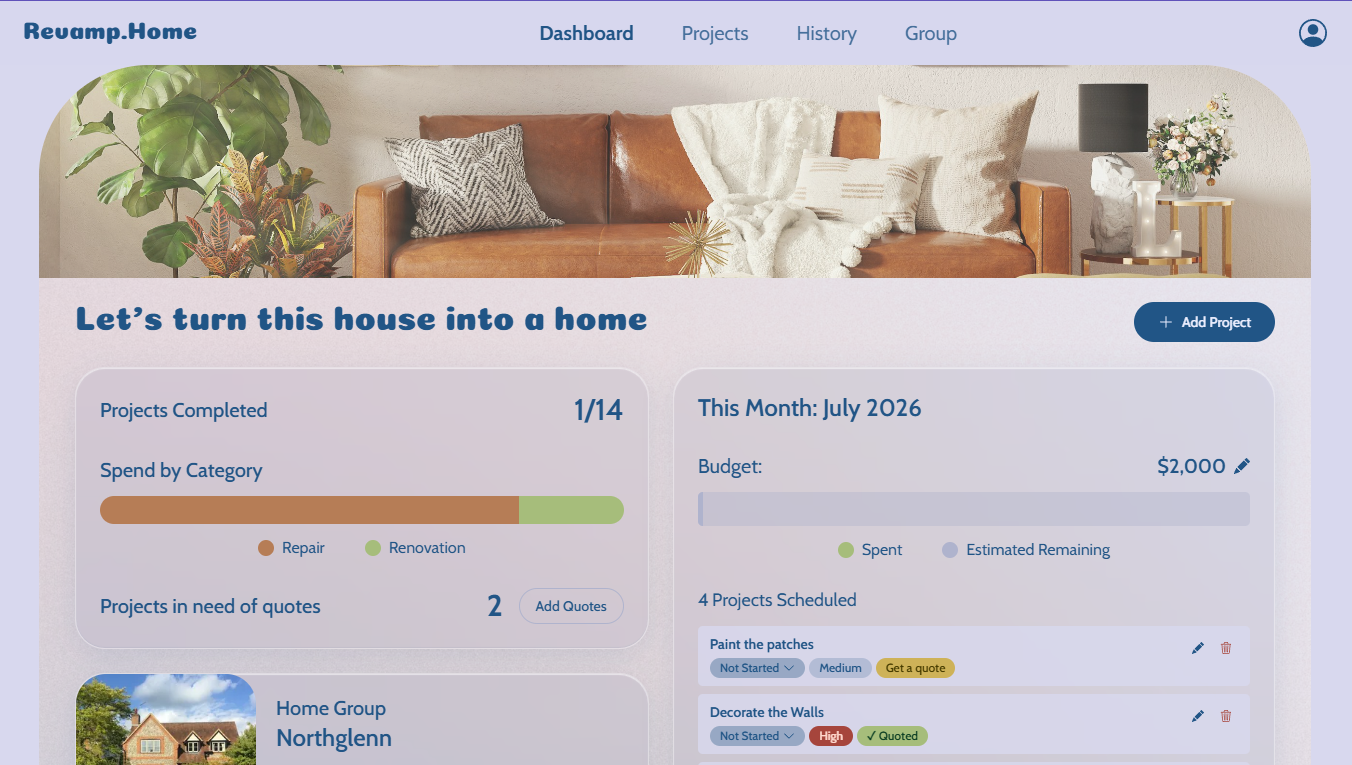
My Home Dashboard
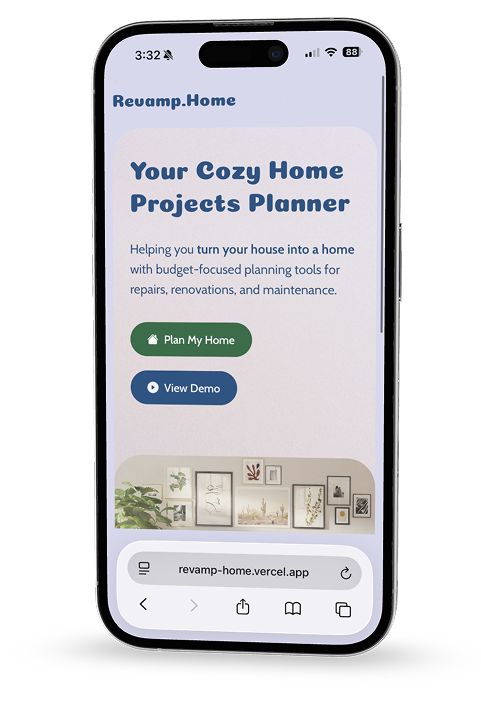
Mobile compatible
This project took me less than a month to complete. I have worked on this passively throughout June (since I've just moved into said new house, I have lots going on!)
The Problem / Inspiration
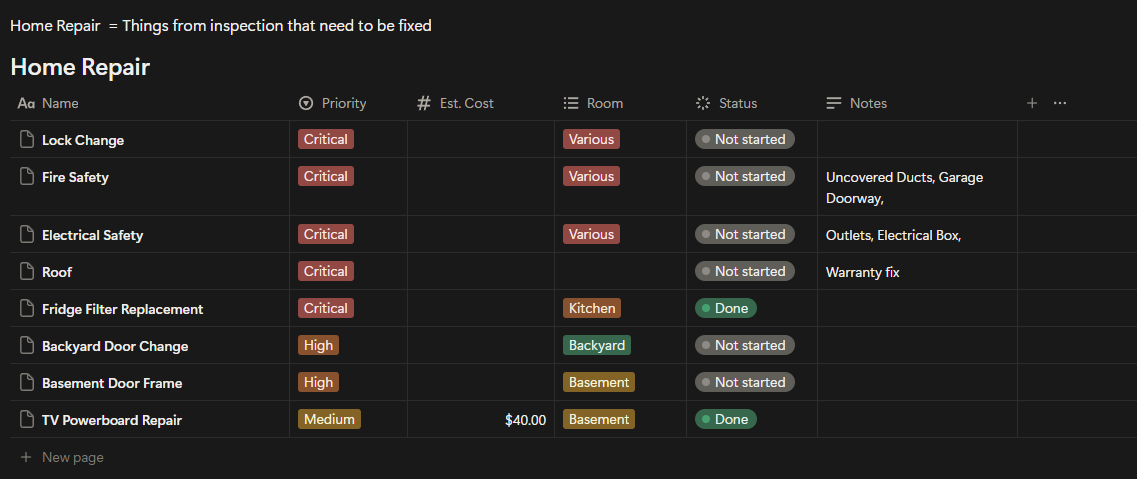
We bought a house. Before we moved in we already knew there was work to be done. However, we didn't have a clean way to track it all. I started with a Notion database, creating the different views, tags, etc for our growing list of projects, but I thought I could do better.
How might I develop a web app that I can use on my phone and PC to manage and track the many home projects we want to do over the next few years?
So I decided to build it. Not as a hypothetical case study, but as a real tool. I'm the target user, but I built it the way I'd build it for real users, because plenty of homeowners and households are juggling the same problems I am facing.
This is also the first time I've taken a product all the way: from a Figma file to a deployed, working full-stack app.
Web App Features
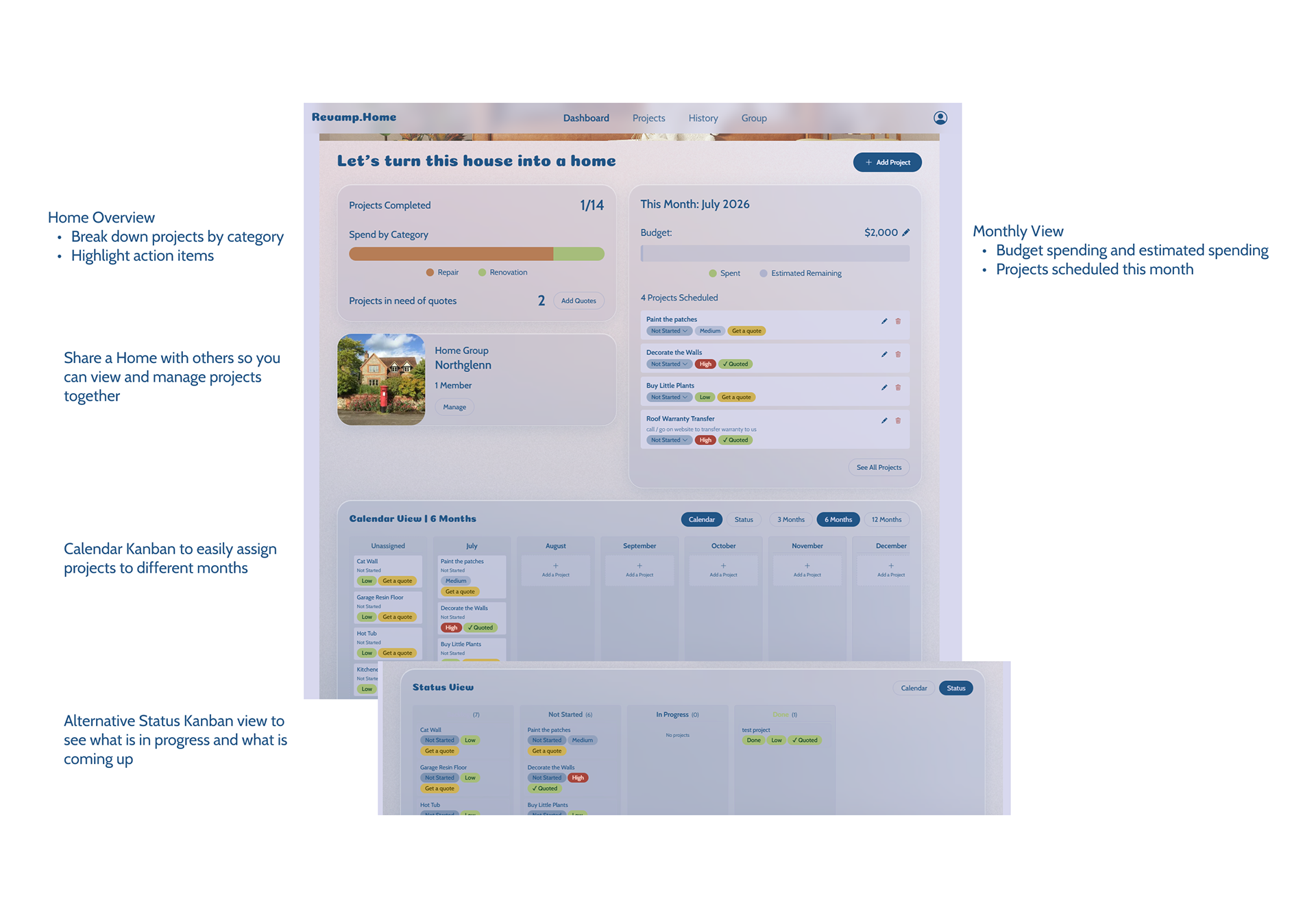
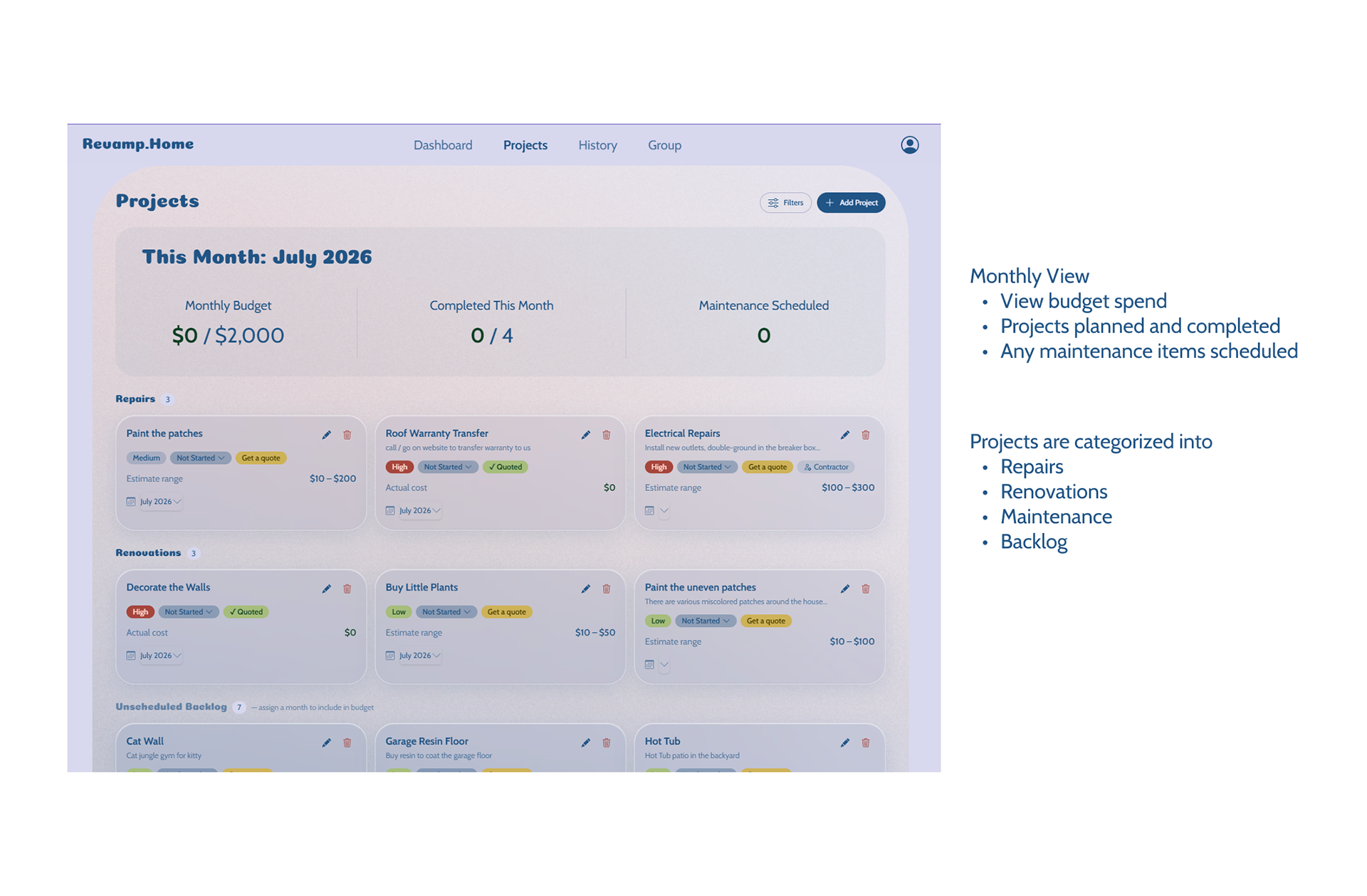
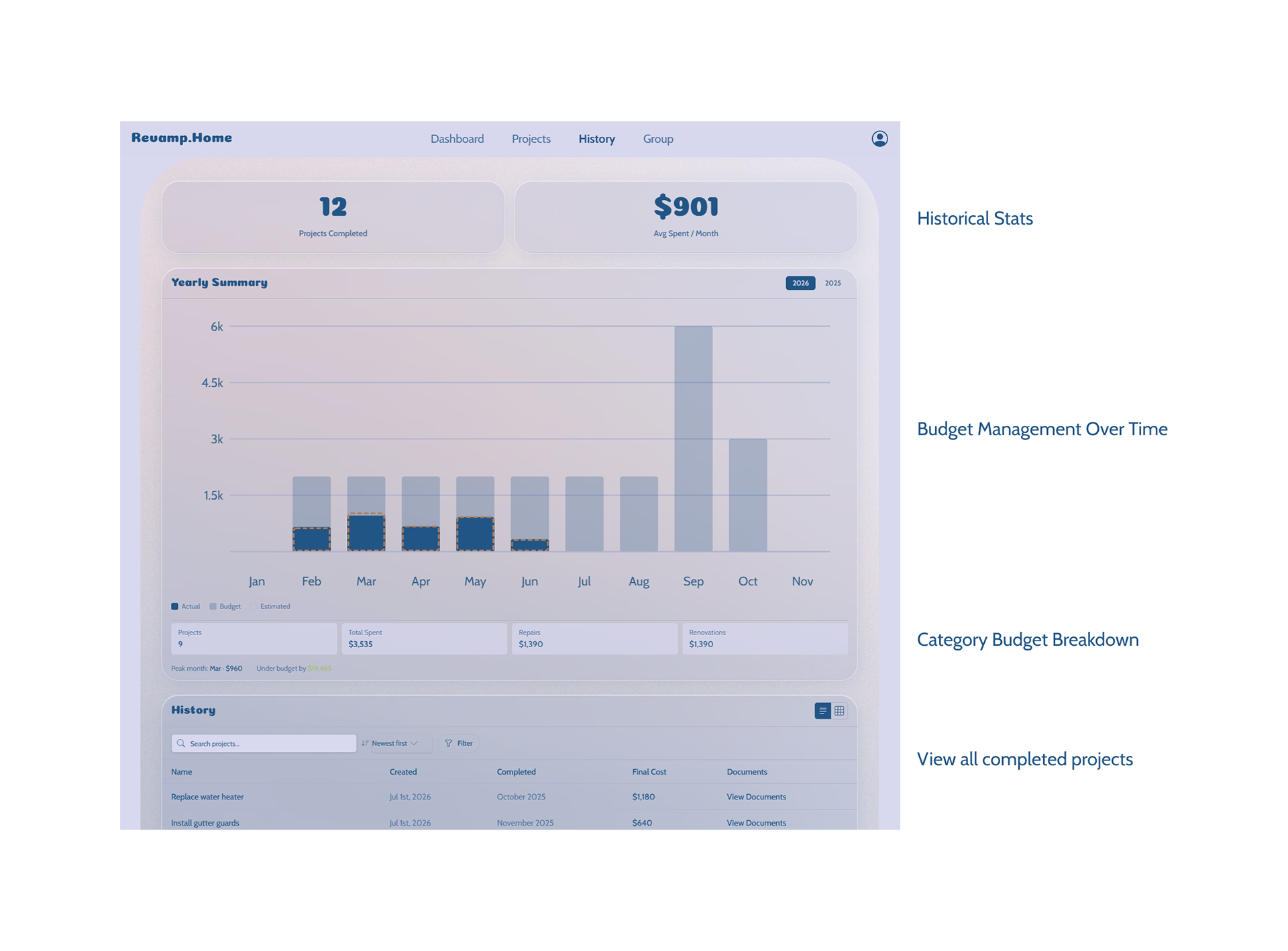
ITERATION
Like I mentioned, I started with Notion. I really love Notion for its flexibility, so I started with a few projects that were top of mind, and I kept track of what information I wanted to include for each project.
Project Information
• Title
• Status
• Priority
• Cost (estimated or if applicable, include a quote we received)
• Room(s)
• Additional description
• Rough Scheduling (Do we want to do it this month, soon, or not now?)
• Status
• Priority
• Cost (estimated or if applicable, include a quote we received)
• Room(s)
• Additional description
• Rough Scheduling (Do we want to do it this month, soon, or not now?)
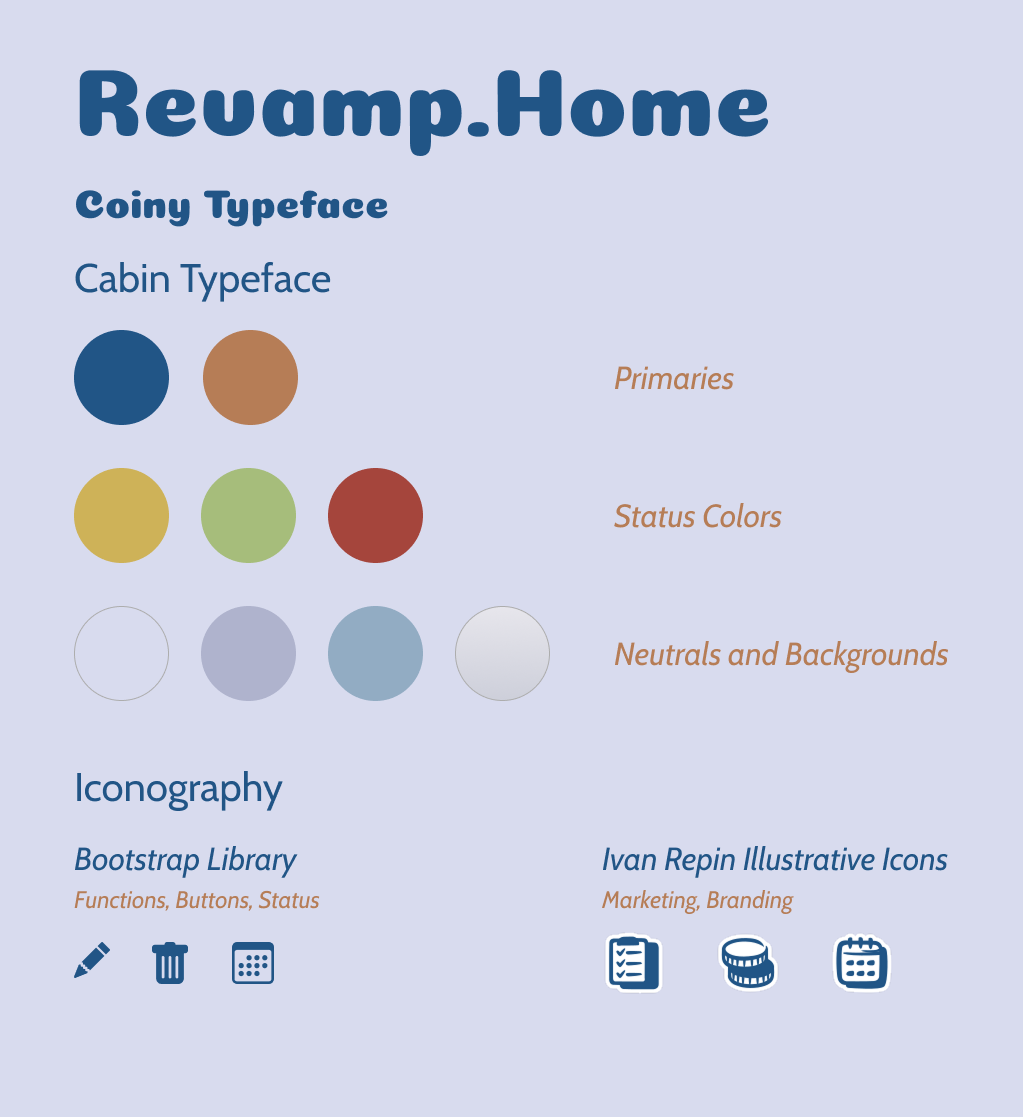
Because this is for me, I got to do the rare thing of picking a brand style that I like. I noticed that this world of home improvement is frankly boring, rough, technical, and utilitarian. I wanted to do something completely different: cute, cozy, and inspirational.
From here, I took my expectations to Claude AI and let it create a simple web page to get us started. The design evolved over time as I honed in on what I wanted this app to look and feel like.
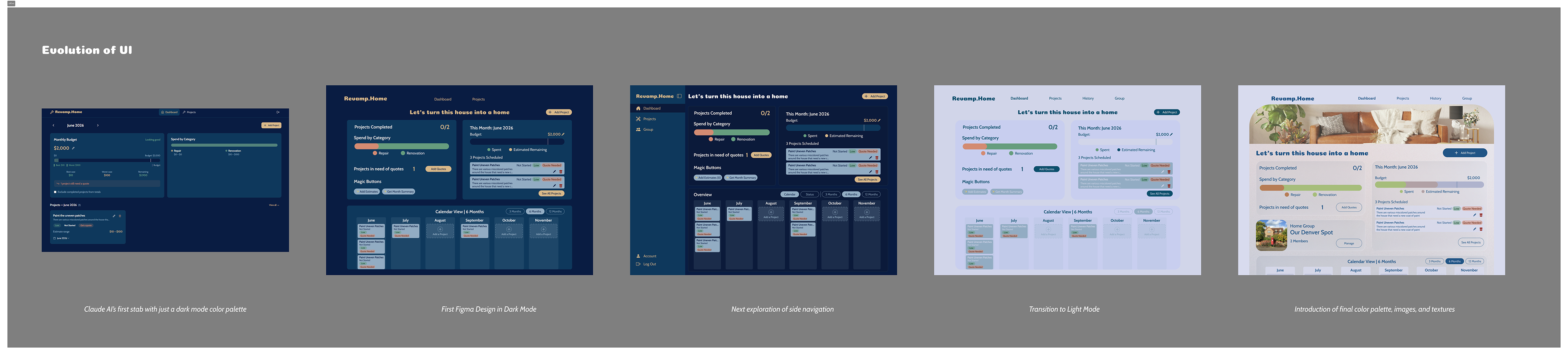
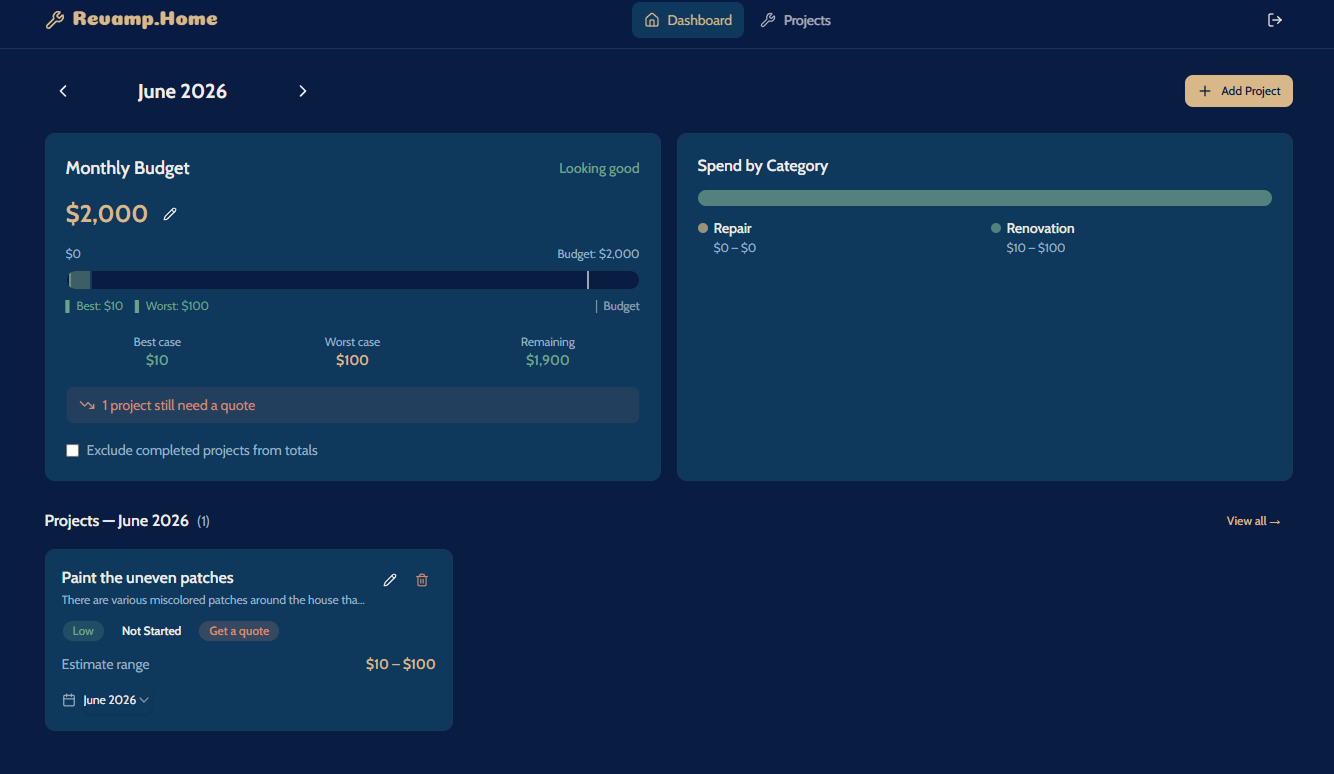
AI's First Stab
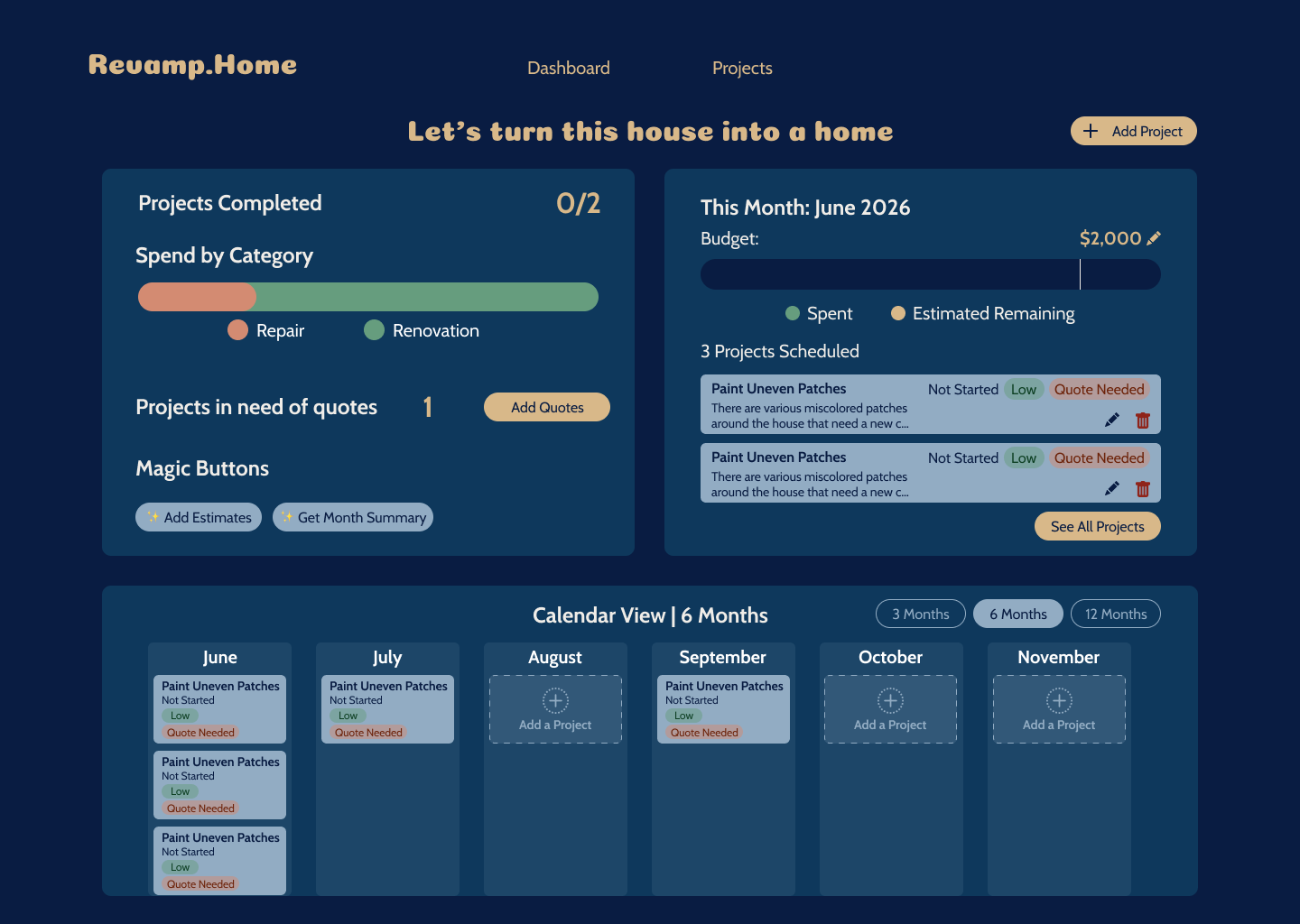
My First Rep based on AI output
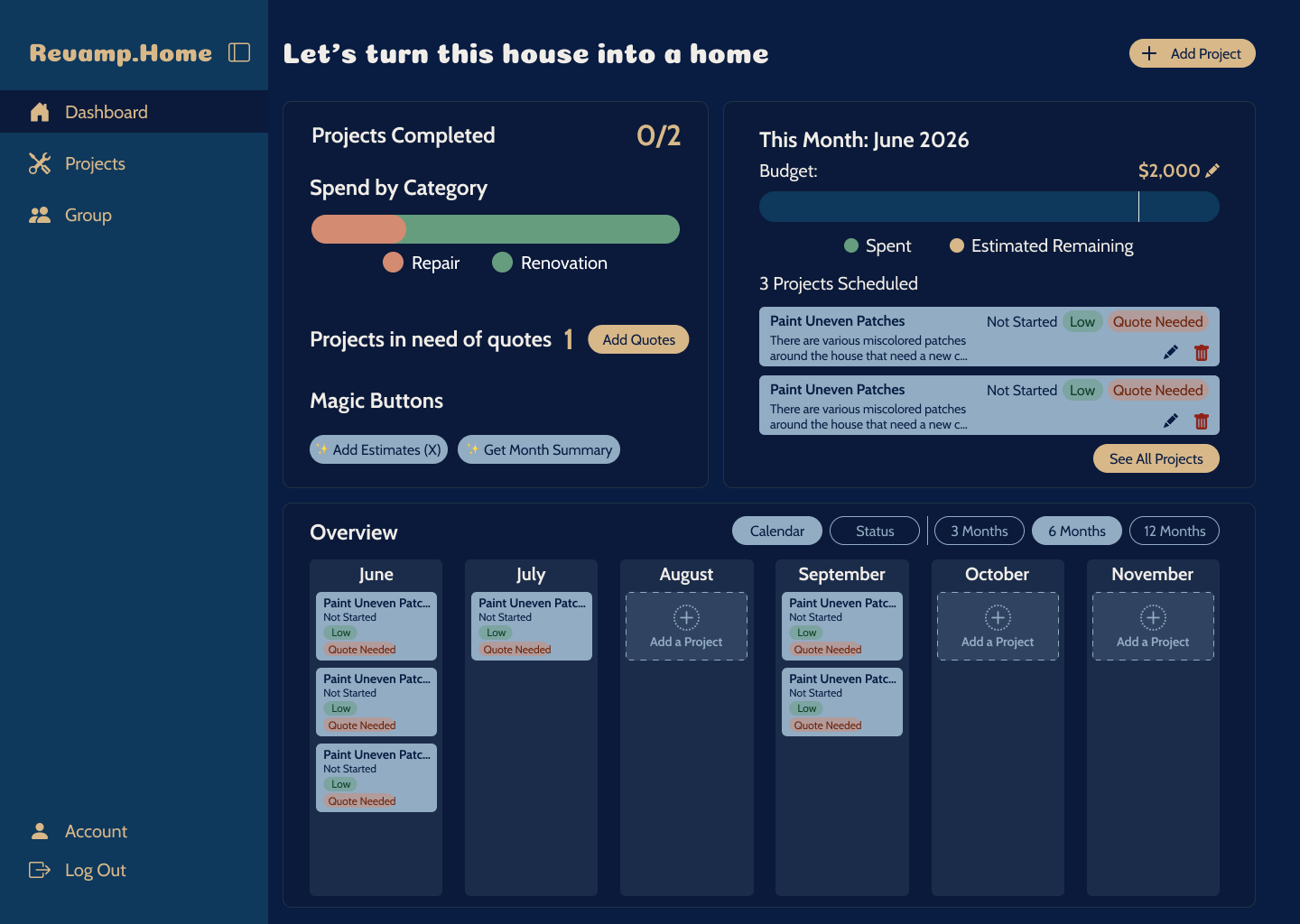
Next Rep based on personal dashboard exploration
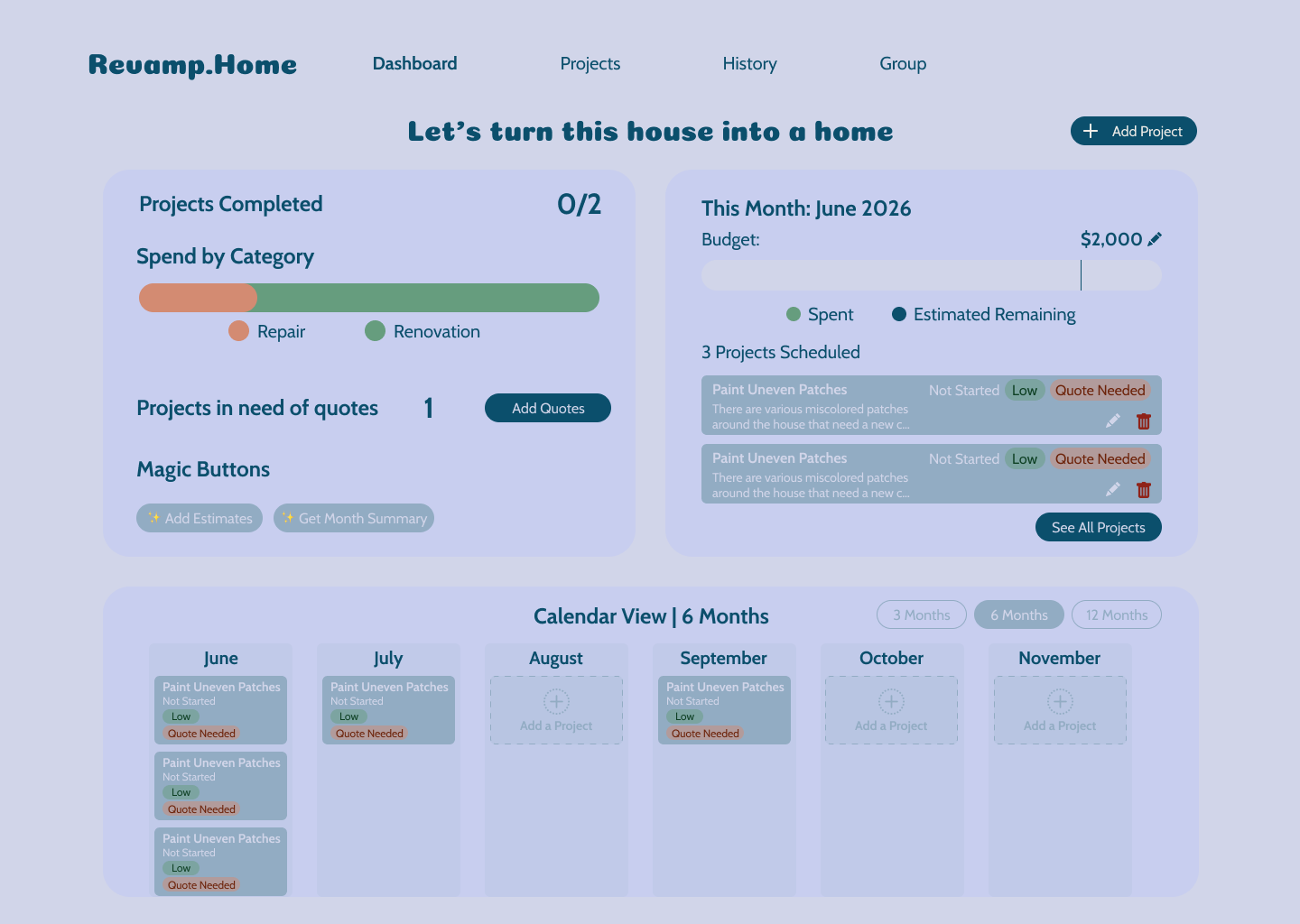
Transition to light mode
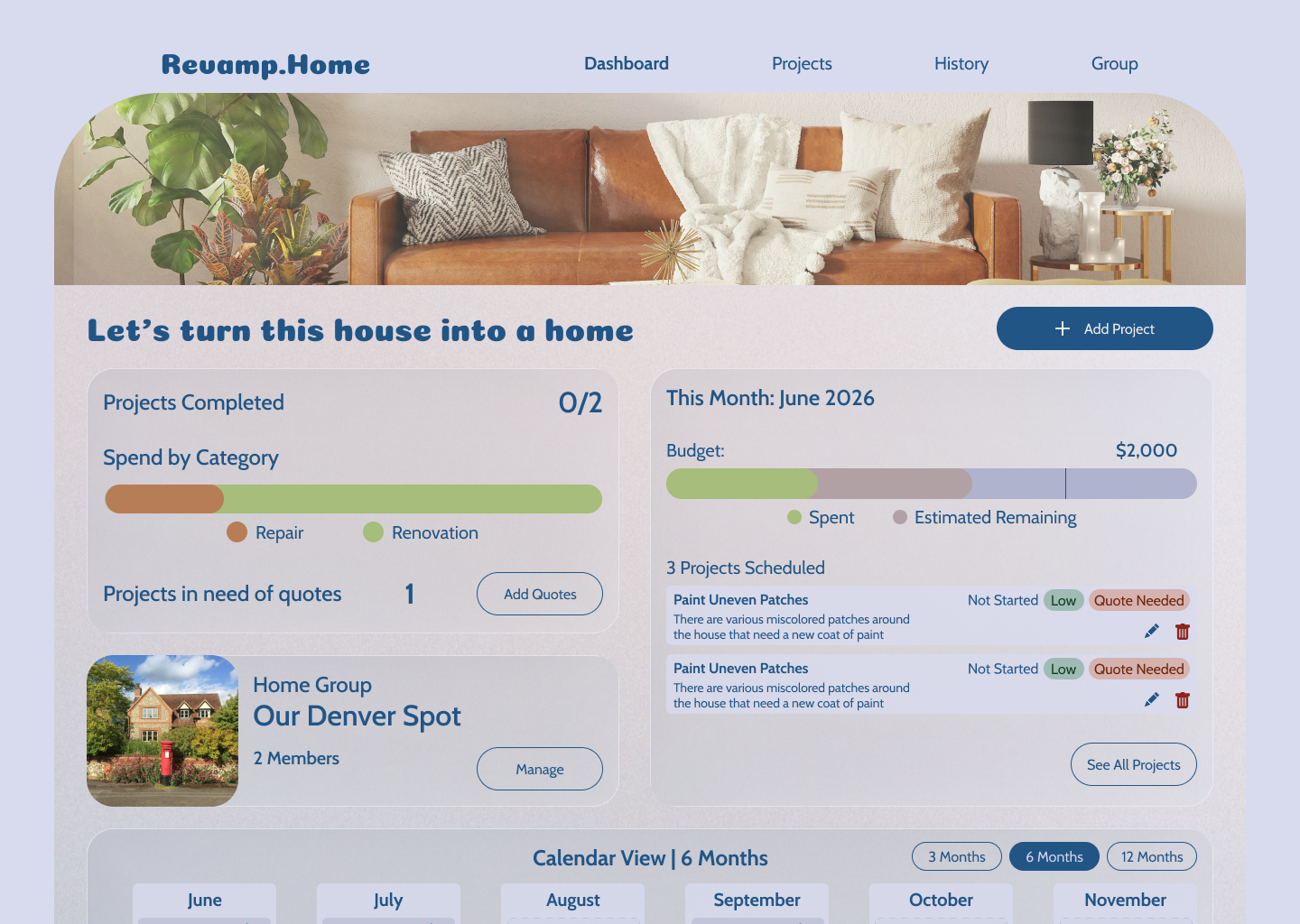
Addition of images and textures and polished color palette
Dark Mode to Light Mode
I thought I wanted a Dark Mode app. Just about everything I use is in dark mode, so it was the natural place to start. However, the app felt so technical and utilitarian when I tried it. Looking at visual inspirations, I saw that dark mode tied to a dashboard actually felt very serious, despite my efforts to combine it with friendly typefaces and pastel colors. It just was not emitting that cute, cozy vibe I wanted to hit, so I switched to light mode.
I am wholly aware of offering dark mode as a means for accessibility in a standard production app, but since my goal was to stand up something primarily for myself first, I deprioritized supporting both for now.
Side Nav vs Top Nav
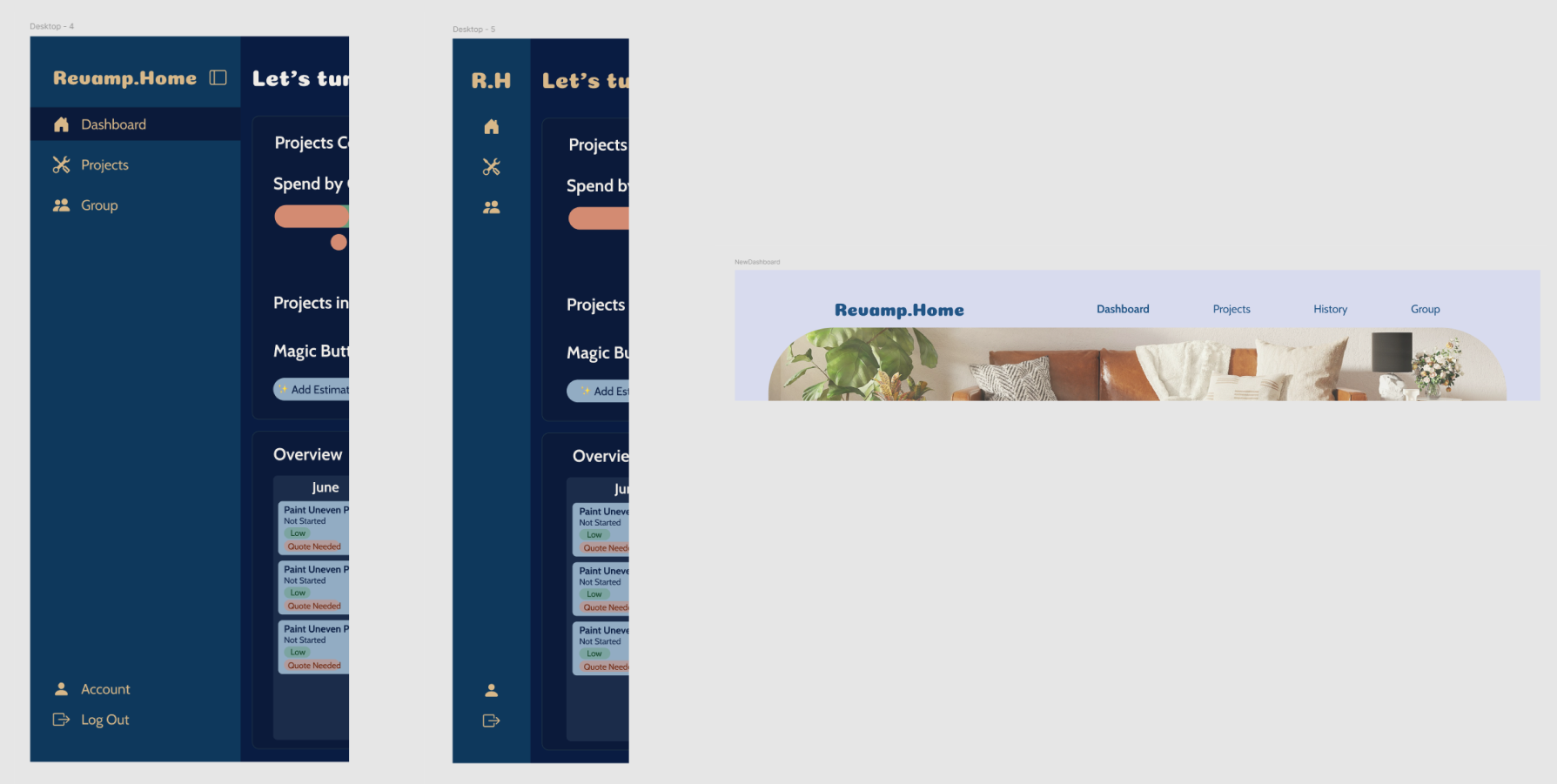
Navigation Exploration
While exploring dashboard references, I saw a common theme was having a side navigation layout that could be condensed into icons only. This works for dense dashboard apps because they can have many pages and tabs within those pages, so dedicating a notable amount of screen real estate is beneficial. Comparing those references to my app, I realized that my simpler app didn't need intense navigation schemes. Even as I added another two tabs, I couldn't justify a large side navigation, so I went back to a clean top nav.
Using Claude Code
AI collapsed the distance between "I can design this" and "I can ship this," but it didn't replace the part that's actually hard — knowing what to build, why, and what "done" should feel like. That part was, and stayed, mine.
I did my own testing and research. I explored a brand styling. I defined the features I would implement.
AI helped me turn it into a real product using Typescript, Tailwind CSS, Next.js, React, and Supabase. It couldn't do all of it on its own though, so I learned about Next.js and the Supabase database tools.
Because of work, I am familiar with setting up my own dev environment, but this was the first time I had to do all the backend stuff myself too.
Shoutout to the Figma MCP server for making it much easier to connect my vision to Claude. I was able to transfer my design frames to Claude for it to iterate on the production build and do exactly what I wanted.